


- Arduino

- Original Arduino
- Arduino Main Board
- Arduino Education Sets
- Arduino Lcd Display
- Arduino Shield
-
Arduino Sensors and Modules
- Tilt / Acceleration / Gyro Sensors
- Distance and Motion Sensors
- Temperature and Humidity Sensors
- Gas and Pressure Sensors
- Usb Çevirici Modüller
- Mosfet ve Güç Modülleri
- Ağırlık Modülleri
- Water Sensors
- Medical Sensors
- Color and Light Sensors
- Current and Voltage Sensors
- Laser and Laser Sensors
- RTC - Real Time Clock Modules
- Sound and Amplifier Modules
- ph Sensors
- Arduino Modules
- Arduino Sensors and Modules All
- Arduino Kablosuz Haberleşme
- Arduino Geliştirme Kartları
- Arduino Motor Sürücüler
- Arduino Relay Boards
- Arduino Lilypad
- Arduino Book
- Arduino All
- Raspberry Pi

- ESP-Wifi Modüller

- Wireless Communication

- RFID Reader and Tags
- Hazır Rf Alıcı ve Kumanda
- Qr Barkod Okuyucular
- Bluetooth Module
- RF Modüller
- LoRaWAN Module
- Gsm / Gps / Gprs
- Wireless Module
- Akıllı Ev Sistemleri
- Antennas
- Wireless Communication All
- Development Boards

- LCDs & Displays

- Nextion HMI Intelligent TFT LCD Display
- Oled Lcd Displays
- Esp32 Wifi Lcd Display
- ESP32 Yapay Zeka HMI Display
- WaveShare HMI TFT Lcd Display
- İnch Çeşitleri
- Character Lcd Display
- Graphic Lcd Displays
- TFT / COG / e-Paper Lcd Displays
- 7 Segment Displays
- Dot Matrix Display
- LCDs & Displays All
- Sensors & Modules

- Humidity and Temperature Sensors
- Power Modules
- Mems and Tilt Sensors
- Distance and Motion Sensors
- Gas Sensors
- Pressure and Force Sensors
- Medical Sensors
- Ultrasonic Sensors
- Laser and Laser Sensors
- Usb Converter Modules
- RTC Real Time Clock Modules
- Camera Modules
- Color and Light Sensors
- Water Sensors
- Proximity Sensors
- Receiver and Transmitter Sensors
- Hall Effect Sensors
- Current Sensors
- Weight Sensors
- Other Modules
- Sensors & Modules All
- Measuring and Testing Instruments

- Soldering Iron and Equipment

- Smart Dijital Havyalar
- Pen Type Soldering Irons
- Isı Ayarlı Havyalar
- İstasyonlu Havyalar
- Soldering Products
- Soldering Iron Tips
- Solder Pump
- Havya Sehpası
- Lehim Süngeri ve Emiciler
- Duman Emici ve Potalar
- Replacement Soldering
- Soldering Iron and Equipment All
- 3D Printer & CNC

- Motor and Motor Drivers

- Robotic Products & Education Kits

- Drone
- Robotik
- Eğitim
- Robotic Products & Education Kits All
- Plates and Breadboards

- Copper Plate
- Stripboard
- Matkap ve Matkap Uçları
- Breadboard
- Jumper Cable
- Circuit Pen for Printing
- Montaj Kablosu
- Plates and Breadboards All
- Programmer & Debugger Boards

- Microcontrollers

- Microchip Pic Microcontrollers
- Atmel Microcontrollers
- Stm Microcontrollers
- Other Microcontrollers
- Programlama Kartları
- Microcontrollers All
- Integrated Circuits - ICs

- TTL - CMOS Serisi
- Regülatörler
- Optokuplörler
-
Güç Entegreleri
- Lineer Voltaj Regülatörleri - Dip
- Lineer Voltaj Regülatörleri - Smd
- DC-DC Voltaj Regülatörleri - Dip
- DC-DC Voltaj Regülatörleri - Smd
- Güç Sürücü Entegreleri - Dip
- Güç Sürücü Entegreleri - Smd
- AC-DC Çevirici ve Offline Switch Entegreleri
- DC-DC Voltaj Kontrolörleri
- Voltage Reference Entegreleri
- Power Switch Entegreleri
- LED Display Sürücü Entegreleri
- Batarya Yönetimi Entegreler
- Akım Yönetimi Entegreleri
- DC-DC Çevirici Entegreler
- Diğer Güç Yönetimi Entegreleri
- Güç Entegreleri All
-
Logic Entegreler
- Logic Kapı ve Çevirici Entegreleri - Dip
- Logic Kapı ve Çevirici Entegreleri - Smd
- Buffer, Driver, Receiver ve Transceiver
- Signal, Multiplexer, Decoder, Encoder
- Counter ve Dividers Entegreleri
- Shift Register Entegreleri
- Flip Flop Entegreleri
- Mandal Entegreleri
- Multivibratörler
- Translator Entegreleri
- Diğer logic Entegreleri
- Logic Entegreler All
-
İnterface Entegreleri
- Driver, Receiver ve Transceiver Entegreleri - Dip
- Driver, Receiver ve Transceiver Entegreleri - Smd
- Switch Entegreleri
- Analogtan Digitale Dönüştürücü Entegreler
- Dijitalden Analoğa Dönüştürücü Entegreler
- Arayüz Kontrolör Entegreleri
- Sensör ve Dönüştürücü Arayüzleri
- Sıra Transistör Entegreler
- Digital Izolatör Entegreleri
- IO Expander Entegreleri
- Dekoder Entegreleri
- Enkoder Entegreleri
- Telecom Entegreleri
- Dijital Potensiyometre Entegreleri
- İnterface Entegreleri All
- Lineer Entegreler
- Optocoupler Entegreleri
- Hafıza Entegreleri
- Ses ve Video Entegreleri
- Zamanlama Entegreleri
- Sensörler
- LM Serisi
- Diğer Seriler
- Diğer Entegreler
- Integrated Sockets
- Integrated Circuits - ICs All
- Semiconductors

- Transistor
- Mosfet
- IGBT
- Triac / Thyristor / Diac
- Diode
- Semiconductor Modules
- Semiconductors All
- Led Products

- Smd Led
- 3mm Led
- 5mm Led
- 10mm Led
- Small Head LED
- Power Led
- Rgb / Flux / Dual Color Led
- Signal Lights
- Led Driver and Control Cards
- Led Holders & Led Spacers
- Diğer Led Ürünleri
- Led Products All
- Resistance

- Smd Resistor
- 1 / 8W Resistor
- 1 / 4W Resistor
- 1 / 4W Metal Film Resistor
- 1 / 2W Resistor
- 1W Resistor
- 2W Resistor
- 5W Resistor
- 11W Resistor
- Resistor Network & Array
- Shunt Resistor
- Aluminum Resistor - 25W / 50W / 100W
- Resistance Pack
- Resistance All
- Capacitors

-
UF Capacitor
- 0.1 / 0.22 / 0.47 uF Capacitor
- 1uF Capacitor
- 2.2uF Capacitor
- 3.3uF Capacitor
- 4.7uF Capacitor
- 10uF Capacitor
- 22uF Capacitor
- 33uF Capacitor
- 47uF Capacitor
- 68uF Capacitor
- 100uF Capacitor
- 150uF Capacitor
- 220uF Capacitor
- 330uF Capacitor
- 470uF Capacitor
- 680uF Capacitor
- 820uF Capacitor
- 1000uF Capacitor
- 1500uF Capacitor
- 2200uF Capacitor
- 3300uF Capacitor
- 4700 uF Kondansatör
- 6800uF Capacitor
- 10000uF Capacitor
- Non-polar uF Capacitors
- Other uF Capacitors
- UF Capacitor All
- NF Capacitor
- PF Capacitor
- Tantalum Capacitor
- Smd Capacitor
- Snubber Kondansatör
- Capacitors Battery
- Trimmer
- Capacitors All
-
UF Capacitor
- Potentiometer, Trimpot and Encoder

- Potansiyometreler
- Trimpots
- Commutator / Rotary Switch
- Encoder
- Potentiometer, Trimpot and Encoder All
- Diğer Pasif Komponentler

- Coil
- Crystal
- Fuse & Fuse Holders
- Buzzer and Keypad
- Transformer and Current Transducers
- Varistor - Current Limiters
- Diğer Pasif Komponentler All
- Relay

- Relay Boards
- Wifi Röle Kartları
- Solid State Relay (Ssr Relay)
- Zaman Ayarlı Röle Kartları
- Usb Röle Kartları
- Panasonic Relay
- Tianbo Relay
- Huike / Qianji Relay
- Omron Relay
- Finder Relay
- Schrack Relay
- High Current Relays
- Reed Relays
- Other Relays
- Relay Sockets
- Relay All
- Terminals

- Button and Switch

- Connector

- IDC Connector
- Pin Header
- Mike Konnektör
- Waterproof Connector
- D-Sub Connector
- Power Konnektör
- Tunic and PCB Connector
- Usb Connector
- Born-Banana Jak ve Test Kabloları
- Ethernet Connector
- Sma Connector
- Krokodil
- Ferrule Connector
- Stereo - Mono Jak
- Other Connectors
- Connector All
- Hand Tools

- Adapter and Converters

- Battery - Accumulator - Solar Panels

- Li-po Battery
- Battery
- Accumulator
- Battery Bed
- Battery and Battery Chargers
- Solar Panels
- Battery - Accumulator - Solar Panels All
- Distance and Screw Nut

- Metal Spacer M3
- Plastic Spacers M3
- Snap In Spacers
- Screws & Nuts
- Distance and Screw Nut All
- Cooler and Insulators

- Other products

- Cable Types

- Box Types

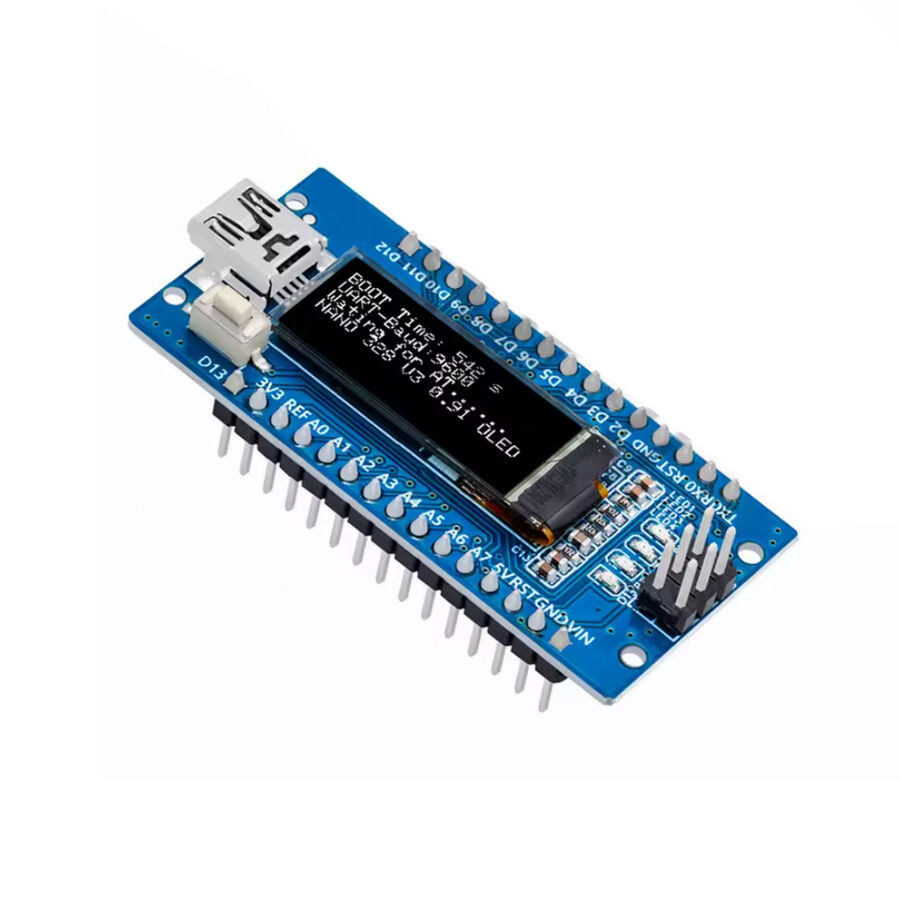
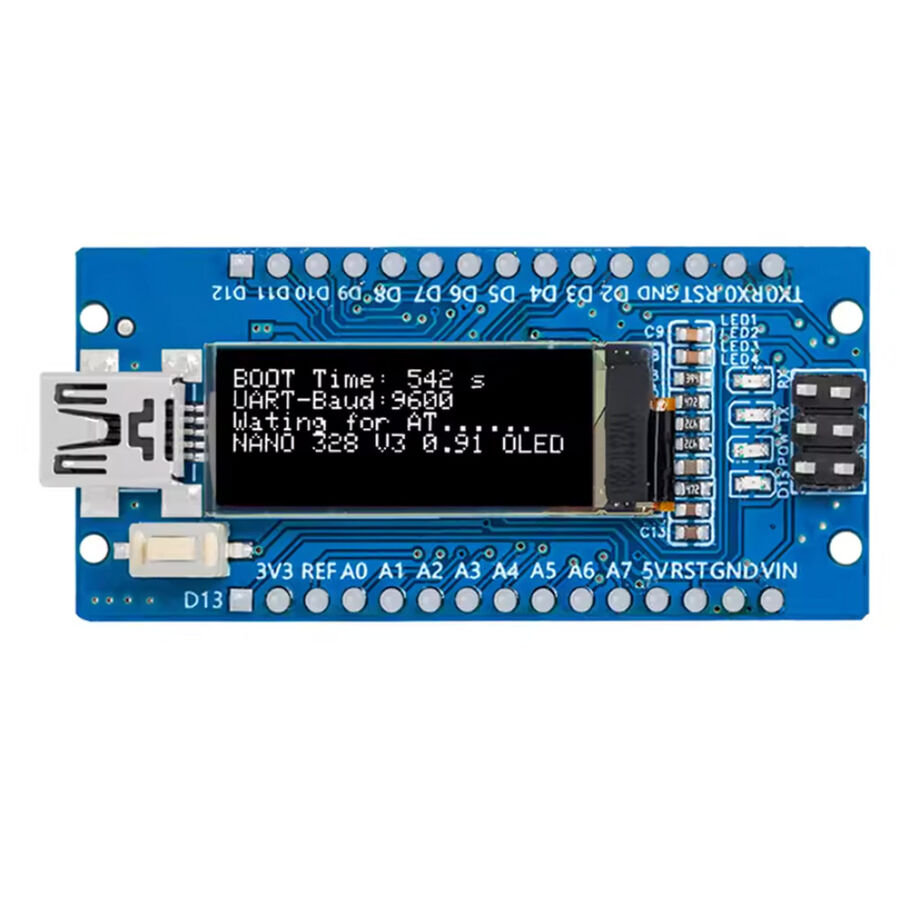
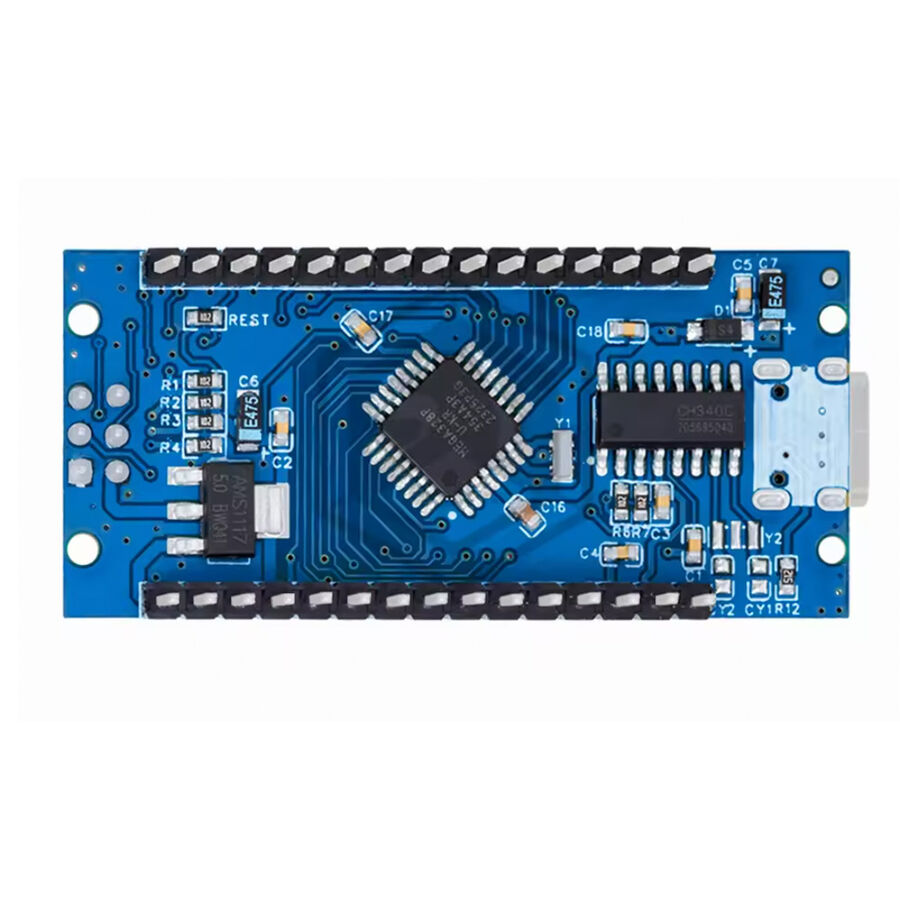
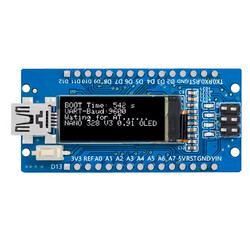
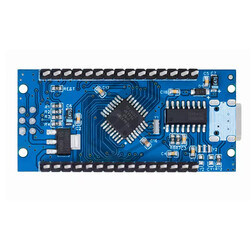
0.91'' Arduino Nano CH340 with LCD
Arduino Nano CH340 Development Board with 0.91-inch OLED Display
The Arduino Nano CH340 development board with a 0.91-inch OLED screen is a compact electronics development platform based on the Arduino Nano V3.0 architecture, allowing you to display your project data directly on the board with its built-in display. The ATmega328P microcontroller, 16 MHz clock frequency, and 5V operating voltage make it suitable for sensor reading, robotics coding, automation, and prototyping applications. It uses 32 KB of flash memory to store program code, 2 KB of SRAM to store data used during operation, and 1 KB of EEPROM to store settings that must be preserved when power is turned off.
The 0.91-inch white OLED screen on the board enables the display of text, numeric values, and simple graphics with a 128x32 pixel resolution and an I2C communication interface. You can display temperature, humidity, or distance data coming from suitable sensors you connect to the project, along with counter values and system status messages on the screen. The built-in display reduces the connections required for an external display module, making it easier to prepare small control panels, desktop indicators, and portable prototypes. The content to be displayed is determined by the display library you use and the program you write.
The board communicates with your computer via the CH340C USB-to-serial converter and the Mini USB connection. To upload code, you should use a USB cable that supports data transfer, and select the appropriate board and serial port in the Arduino IDE. If your computer does not recognize the board, you may need to install the CH340 driver compatible with your operating system. The USB connection can be used not only for uploading programs, but also for monitoring sensor values on the computer through serial communication and controlling the software’s operation.
The Arduino Nano CH340 board’s analog inputs, PWM outputs, UART, I2C, and SPI communication support allow you to develop projects with different sensors and peripherals. With suitable sensors, you can create a measurement indicator, an on-screen menu controlled by buttons, or a robotic control application with a motor driver module. The Nano development board with an OLED display is a convenient option for users learning electronics to experience input and output operations, and for users developing projects to track operating data directly on the board.
Technical Specifications of Arduino Nano CH340 with 0.91-inch OLED Display
| Microcontroller | ATmega328P |
| USB–Serial Chip | CH340C |
| Clock Frequency | 16 MHz |
| Operating Voltage | 5V |
| Input Voltage (VIN) | 6–12V DC |
| Digital Input/Output Ports | 12 pcs (D2 - D13) |
| Analog Inputs | 8 pcs (A0 - A7) |
| PWM Outputs | 6 pcs (D3, D5, D6, D9, D10, D11) |
| Serial Communication | TTL Level RX/TX |
| I2C Support | Yes (A4 SDA, A5 SCL) |
| SPI Support | Yes (D10, D11, D12, D13) |
| FLASH Memory | 32 KB (reserved for 2 KB bootloader) |
| SRAM | 2 KB |
| EEPROM | 1 KB |
| OLED Display | 0.91" White OLED – 128×32 resolution, I2C |
| USB Connection | Mini USB |
| Programming | Via USB or ISP |
| Power Consumption | Low power consumption design |
| Dimensions | Approx. 53 x 24.5 mm |
Useful Links
- Arduino Anaboard Products you can check our products.
- Arduino Shield Products you can check our products.
Product Filters | ||
|---|---|---|
| Barcode | : | DSTK22882 |
| Supplier Product Code | : | DSTK22882 |
